Reports
A report is a model for a printable or exportable document: an invoice, a statement, a label sheet, a list with totals. You design the document in Studio, bind it to data, and the application renders it.
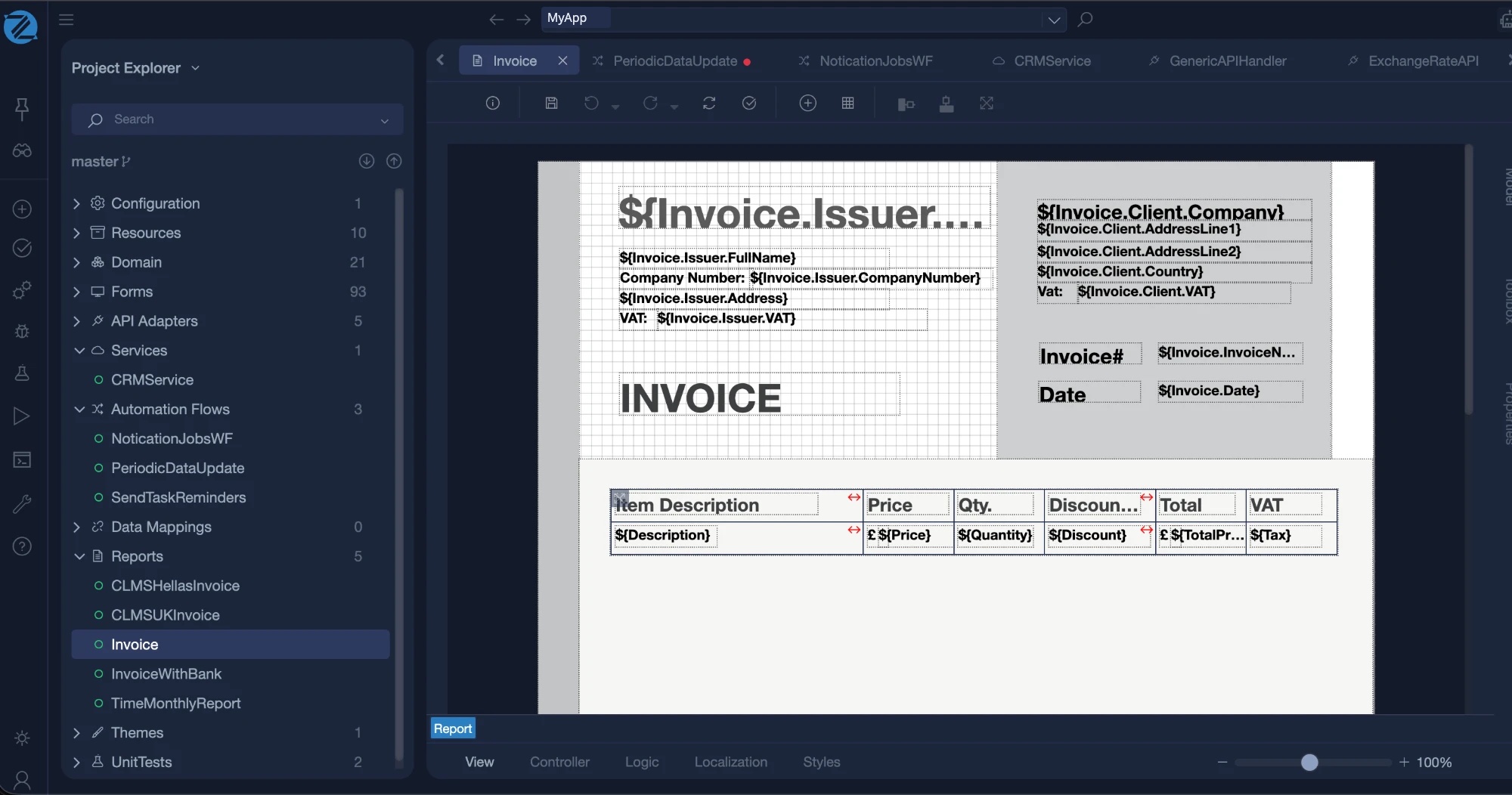
To create one, open Add new item and choose the Report category. There are two templates: Report, which starts from a blank document, and Report Base on Form, which starts from a form.
How a report is built
A report has a header and a footer that apply to the whole report, and one or more pages. Each page has up to three sections:
| Section | What goes in it |
|---|---|
| Header | Content at the top of every instance of the page, such as a logo and a title. Optional. |
| Container | The body of the page. |
| Footer | Content at the bottom of the page, such as page totals. Optional. |
Pages
Each page has a format, an orientation and optional header and footer sections.
| Setting | Values |
|---|---|
| Format | A0 to A5, B0 to B5, Executive, Government Letter, Letter, Legal, Ledger, or Custom |
| Orientation | Portrait or Landscape |
| Header, Footer | Each can be switched on or off |
Controls
You place controls on a page section, or in the report header and footer. Every control has a unique name, a position (x and y) and a size (width and height), all in centimetres.
| Control | Use it for |
|---|---|
| Label | Text. Either fixed text, or a value from the data, for example Customer.Name. |
| Image | A picture. Either a static image from a file path, or a bound image whose path comes from the data. |
| Barcode | A barcode or QR code, with fixed content or content from the data. Many formats are supported, including QR Code, Code 128, Code 39, EAN-13, EAN-8, UPC-A, Data Matrix, PDF 417 and Aztec. You choose the orientation, horizontal or vertical. |
| Frame | A box that groups other controls, and that can have its own child controls. |
| Table | Rows of data. A table has header rows, body rows and footer rows, made of cells that hold controls. |
Tables
A table is bound to a collection in the report's data. A cell can hold any control, such as a label bound to the item's Price. For a table that spans several pages, you can repeat the header and repeat the footer on every page.
Binding to data
Controls that show data use a binding path into the report's view model, such as Customer.Name for a label or Order.Lines for a table. The data is supplied when the report is generated. You can generate a report from Mamba, for example from a class operation, a form action or an automation flow.
Reports and the other options
| If you need | Use |
|---|---|
| A designed document with a fixed layout, bound to data | A report |
| A document built entirely in code | PDFLib |
| A spreadsheet export | ExcelLib |
| A table export from a list on a form | The export of the list control, see Form Models |
In the generated application
For the .NET and Angular strategy, a report produces report classes that render the designed document. See Enterprise Web.