Data Mappings
A data mapping describes how one structure is turned into another. Use it when data arrives in one shape and must be stored or sent in another: for example, the structures of an API adapter into your own business objects, or the reverse. You draw the connections between a left and a right structure, and zAppDev generates the conversion code. In older material this editor is called the Data Transformations editor, and its template is named Empty Data Transformation.
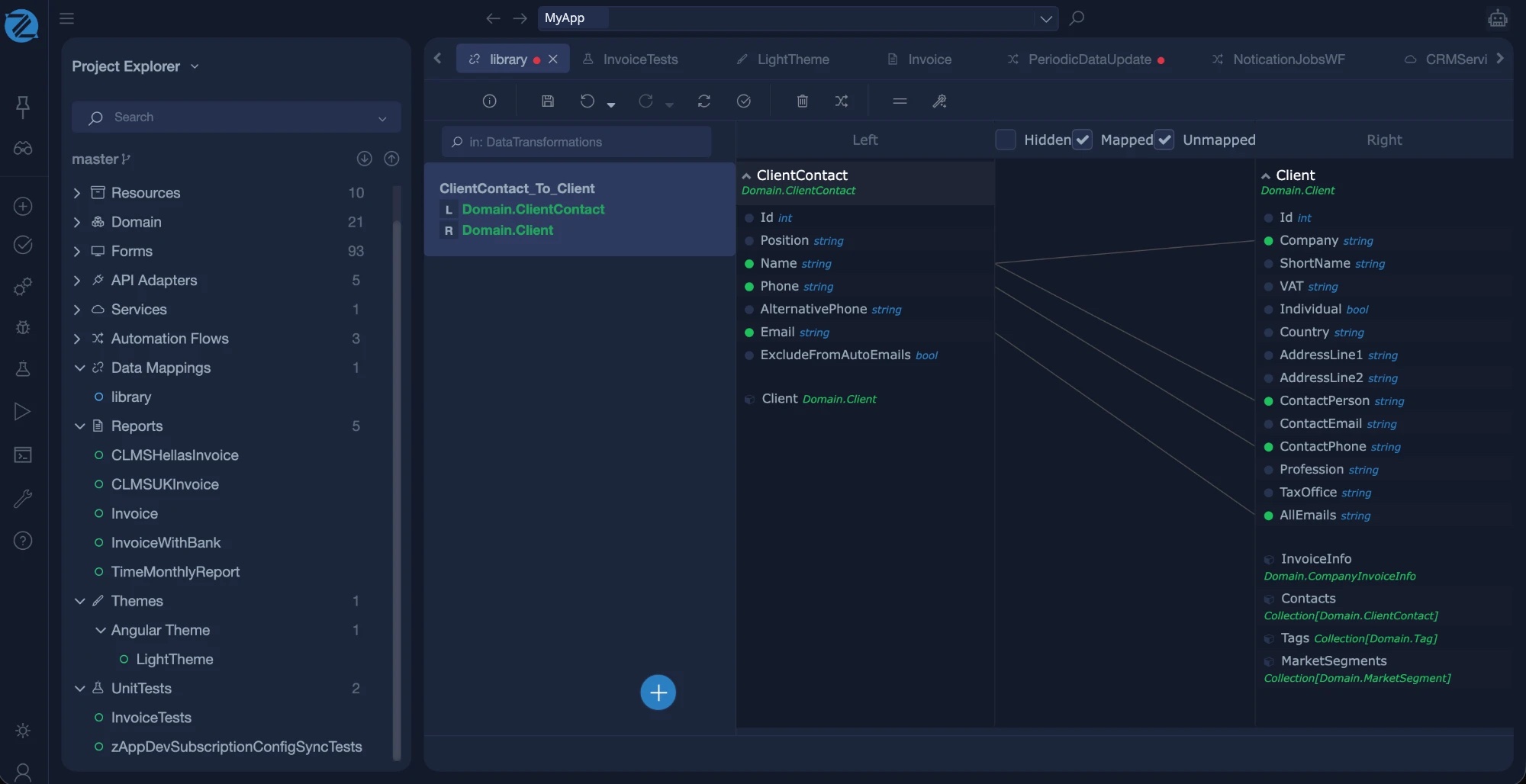
To create one, open Add new item, choose the Data mapping category and give the mapping a name.
Transformations
A data mapping model holds one or more transformations. The list on the left shows them, with a search box. Each transformation links one left structure to one right structure. Add one with the + button and New Transformation, and remove one with Delete.
Each transformation shows two lines, L for the left structure and R for the right one. Click a line to import a structure.
Importing a structure
The Import Struct window offers two sources:
| Source | What it gives you |
|---|---|
| Domain Model Class | A class of your business objects. Pick it from the Class list. |
| External Api Struct | A structure defined in an API adapter, such as the response of a REST operation. |
When both sides are imported, the editor shows the members of the left structure and of the right structure side by side, ready to connect.
Mapping
Connect a member of the left structure to a member of the right one to say that the value moves from one to the other. The toolbar helps:
| Command | What it does |
|---|---|
| Mapping Mode | A mode for creating connections between members. |
| Mapping Wizard | A guided way to create mappings. |
| Merge Selected Mappings | Combines the selected mappings into one. |
| Delete Mapping | Removes the selected mapping. |
| Validate | Checks the data mapping, like the validation of any model. |
Two options above the structures, Hidden and Mapped, filter which members are shown.
Using a mapping
You apply a mapping from Mamba wherever a conversion is needed, for example in a service operation or an automation flow that imports data. The engine turns each transformation into conversion code between the two structures.
When to use a mapping
| If you need | Use |
|---|---|
| To convert between two structures with many matching members | A data mapping |
| To change one or two values | Assign them in Mamba |
| To read a file format | A library such as XmlLib or CommonLib's CSV parser |
In the generated application
For the .NET and Angular strategy, a data mapping produces transformation code between the left and right structures. See Enterprise Web.