Unit Tests
Unit tests verify the logic of your application, in particular the Mamba operations of business objects and services. A unit test model is a collection of test operations and the helper logic they share. You write tests in Mamba, run them in Studio, and run them with the build.
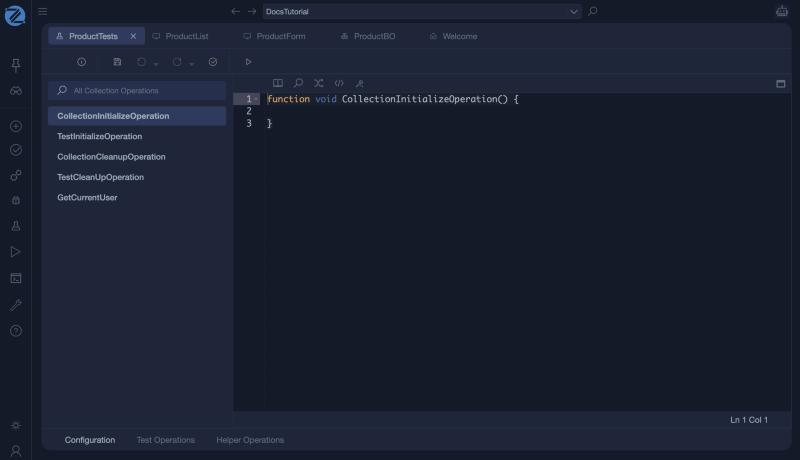
The tabs at the bottom are Configuration (the four lifecycle functions and a helper such as GetCurrentUser), Test Operations and Helper Operations. The Run button in the toolbar runs the tests of the model.
Note
Validation checks the structure of the model, not whether a business rule is right. Unit tests are how you check behaviour.
Create a unit test model
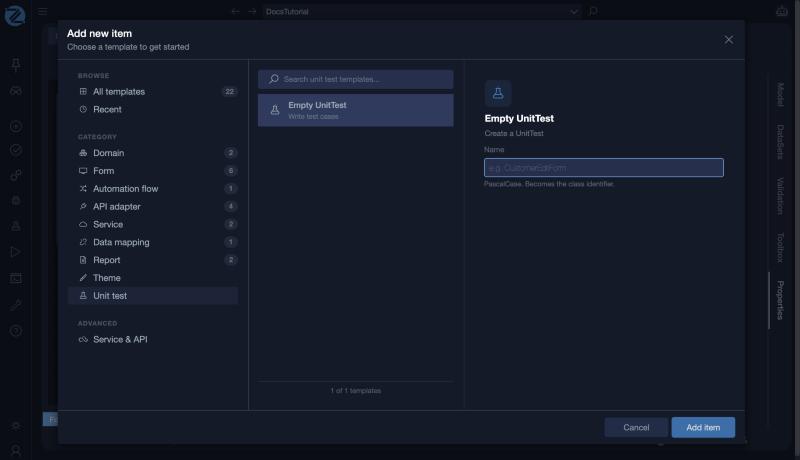
Choose Unit test in the Add new item window, select the Empty UnitTest template and give the model a name.
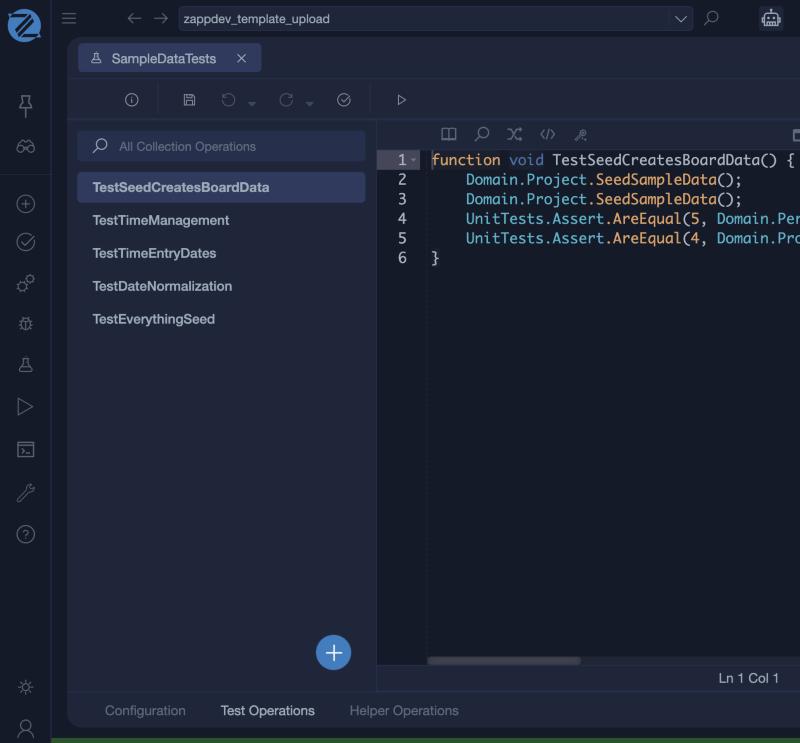
The editor opens on the Configuration tab, with the four lifecycle functions and GetCurrentUser on the left and the code of the selected one on the right.
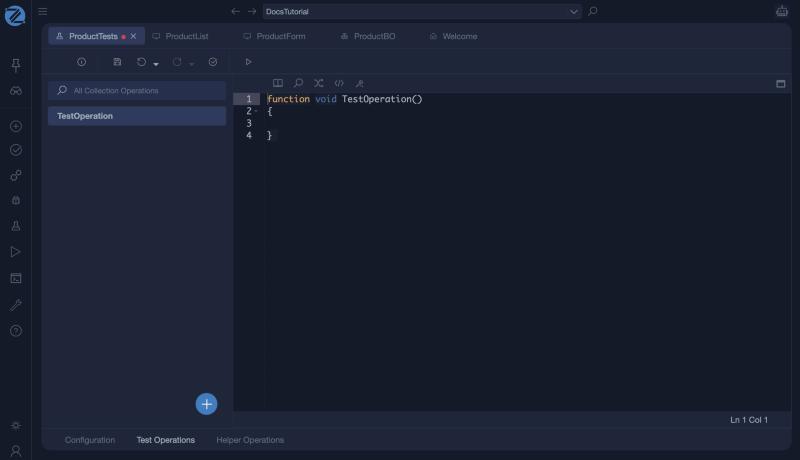
In Test Operations, click + and then New Operation. A new test operation starts as an empty function that you fill in.
Structure of a unit test model
Configuration functions
Special Mamba functions that run at set points of a test run:
| Function | Runs |
|---|---|
CollectionInitialize |
Once, before any test in the model runs |
CollectionCleanup |
Once, after all tests in the model have finished |
TestInitialize |
Before each test operation |
TestCleanup |
After each test operation |
Test operations
The test cases. Each test operation is a Mamba function that performs an action and then uses assertions to check the expected outcome.
Helper operations
Reusable Mamba functions that test operations and configuration functions can call, for example to set up data or to share a complex assertion.
Writing a test
Use the UnitTests.Assert library to check conditions:
| Assertion | Checks |
|---|---|
UnitTests.Assert.AreEqual(expected, actual, message) |
Two values are equal |
UnitTests.Assert.IsTrue(condition, message) |
A condition is true |
UnitTests.Assert.IsFalse(condition, message) |
A condition is false |
A test can create and read business objects, call their operations, and call service operations, to check that the application behaves as expected. See the UnitTests library for the full list of assertions.
An example
This test comes from a real application. It seeds sample data twice and checks that the second call did not add anything:
function void TestSeedCreatesBoardData() {
    Domain.Project.SeedSampleData();
    Domain.Project.SeedSampleData();
    UnitTests.Assert.AreEqual(5, Domain.Person.GetAll().Length, "people count (second call must not duplicate)");
    UnitTests.Assert.AreEqual(4, Domain.Project.GetAll().Length, "project count");
}
Running tests
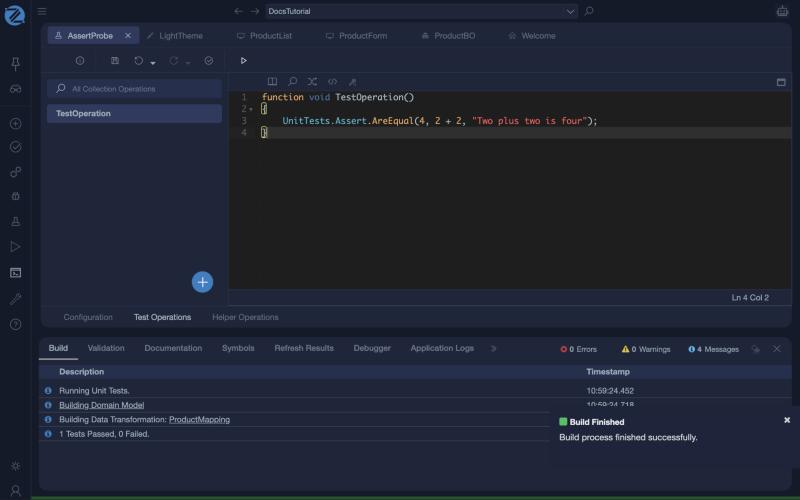
Click Run in the toolbar of the unit test model. Studio builds the domain model, runs the tests, and reports the result in the Build tab of the console, for example 5 Tests Passed, 0 Failed. An MCP agent can run tests too.
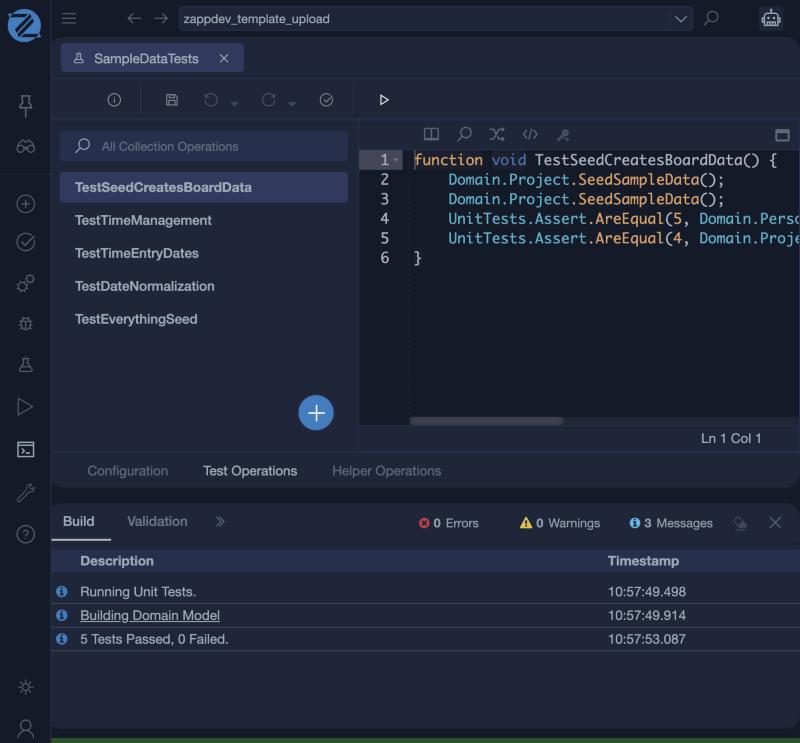
A single test operation with one assertion, UnitTests.Assert.AreEqual(4, 2 + 2, "Two plus two is four");, reported 1 Tests Passed, 0 Failed.