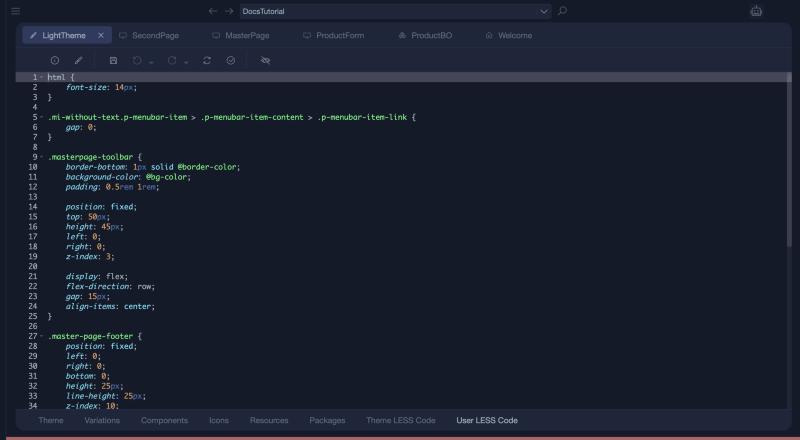
User LESS Code
The User LESS Code tab is where you write your own styles. It is applied after everything else in the theme, so a rule here overrides the variables, the component styles and the theme LESS.
When to use it
Use it when the settings of the theme cannot express what you want: a particular layout of a page, a style for one control that you tag with a CSS class, or a rule for a screen size.
How to use it
- Give the control a CSS class in its properties, for example
price-label. -
Write the rule in User LESS code:
-
Save and build. The style applies wherever the class is used.
The variables of the theme, such as @color-primary and @main-font, are available in your code, so your styles follow the theme when it changes, including its light and dark variations.
Tips
- Target the classes your own controls carry before targeting the platform's generated classes, which can change between versions.
- Use
@mediaqueries for responsive rules. - Avoid LESS functions that the compiler does not support. See Theme LESS code.
- If a style does not appear, check that the build finished and that the browser is not showing a cached stylesheet.
In Studio
The User LESS Code tab holds your own LESS rules. It already contains the rules of the application, such as the toolbar of the master page, and can use the variables of the theme, for example @border-color.