Theme and Variations
The Theme and Variations tabs of the theme editor hold the global parameters of the look and feel of your application: colours, fonts and dimensions. They are applied to the theme, creating a consistent visual experience, and they are available to your custom LESS code.
The Theme tab
It has two parts:
| Part | What it holds |
|---|---|
| Variables | The colour palette, and the table of the global variables that you add. See also Colors. |
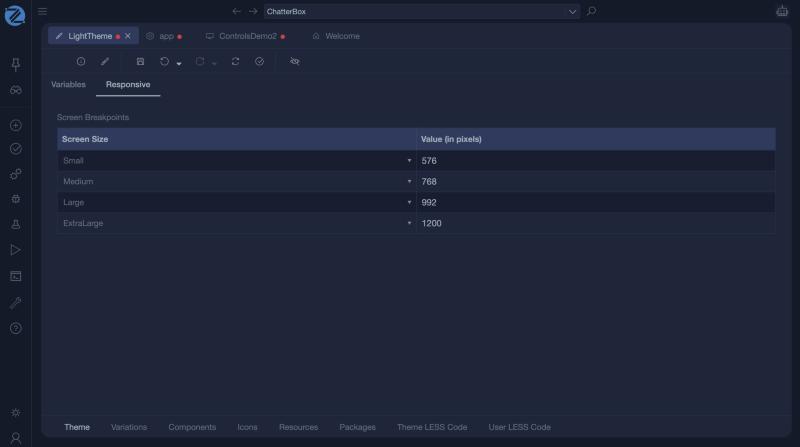
| Responsive | The screen breakpoints: Small 576, Medium 768, Large 992 and ExtraLarge 1200 pixels. |
The Variations tab
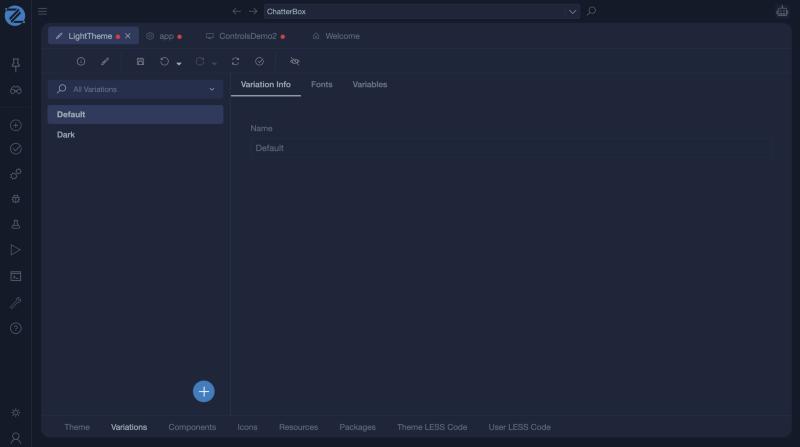
A theme has variations, such as Default and Dark, listed on the left. Select one to see three parts:
| Part | What it holds |
|---|---|
| Variation Info | The Name of the variation. |
| Fonts | The font families and sizes of the variation. |
| Look And Feel | The variables of the variation, such as the sizes of inputs. |