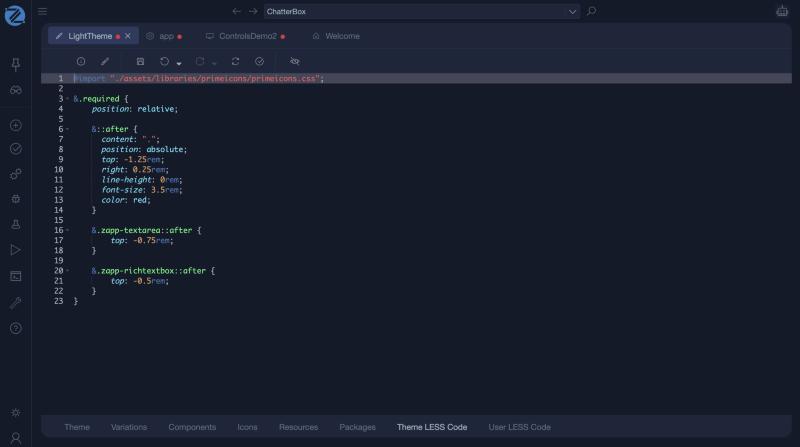
Theme LESS Code
The Theme LESS Code tab shows the LESS that implements the theme: the base styles, the variables and the styles of the components. It is generated from the theme's settings and is available in the editor's Advanced mode.
What it is for
Read it to understand how a variable or component setting becomes style, and to see which classes the application renders. It is rarely the place to make changes.
Prefer User LESS code for your changes
The theme LESS is tied to the settings of the theme and the template. Put your own styles in User LESS code, which is applied last and overrides everything before it.
Writing LESS for a theme
Studio compiles LESS when the theme is validated and built. Its compiler is more limited than the standard lessc tool, so keep to the basics:
- Use variables, nesting and simple mixins.
- Avoid LESS functions such as
fade(),mix(),darken()andlighten(). Add a variable with the value you need instead, and give it a value for each variation. - Keep guards simple. Pass computed values to mixins as arguments.
- Use
calc()to combine different units, written as~"calc(...)".
When validation fails, the message names the theme but not the line. Validate the theme model itself to see the details. See Validation.
In Studio
The Theme LESS Code tab holds the LESS code of the theme itself. A new theme imports the PrimeIcons style sheet and styles required fields.