Link
A link takes the user to a web address or opens an e-mail message. Unlike a Button, it does not run a controller action. It points to an address.
Properties
| Property | Description |
|---|---|
| Caption | The text of the link. Use a resource key to translate it. |
| Caption Model Binding | A string in the view model that supplies the text instead of fixed text. |
| Href | The address the link points to: a URL, or an e-mail address. |
| Model Binding | A string in the view model that supplies the address instead of a fixed one. |
| Href Type | Url or Email. |
| Href Target | Self opens in the same tab, Blank in a new tab. |
Examples
A fixed link. Set the caption to Our website, the type to Url, the target to Blank, and Href to https://example.com.
A mail link. Set the type to Email and Href to support@example.com. Clicking the link opens the user's mail program.
A link from the data. Bind the address to Customer.Website and the caption to Customer.Name so each record has its own link.
Link or button?
- To go to another page of your application, use a Button with an event, so the navigation follows the permissions of that page.
- To leave the application or send an e-mail, use a link.
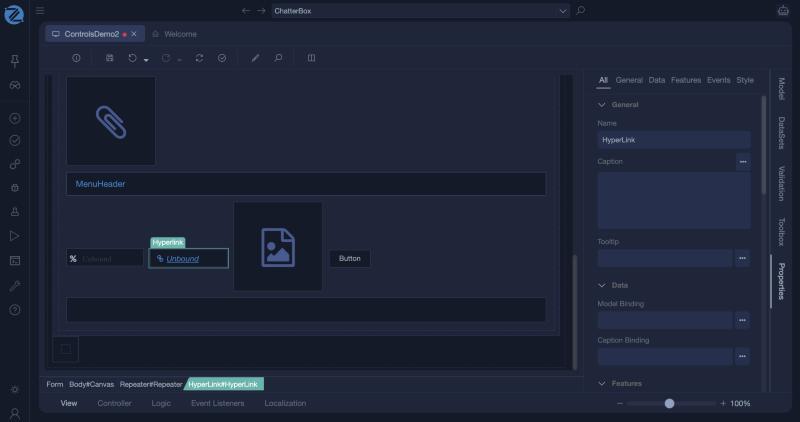
In Studio
The link (a HyperLink) and its properties: Caption, Model Binding, Caption Binding, Href, Href Type and Href Target.