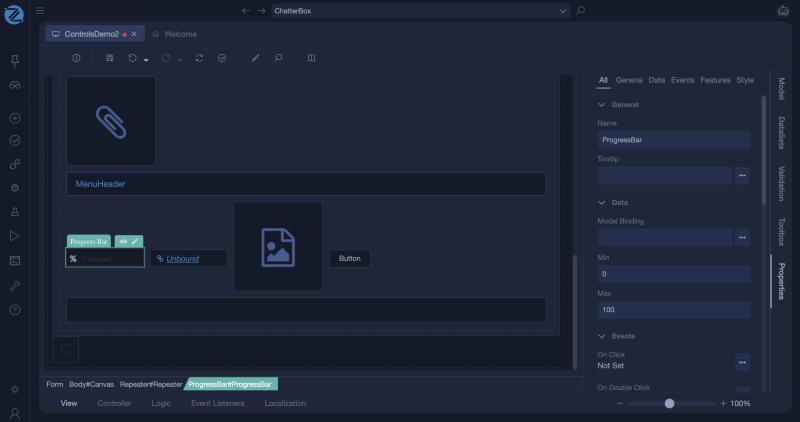
Progress Bar
A progress bar shows a number as a filled bar. It is bound to a numeric value of the view model, and it displays that value.
Properties
| Property | Description |
|---|---|
| Model Binding | The numeric view model value that the bar shows. |
| Min, Max | The range of the bar. The defaults are 0 and 100. |
| Show Percentage | Shows the value as a percentage. |
| Colorize By Range, Invert Color Range, Allow Exceed Max | Colour the bar by its value, reverse that colouring, and let the value go past Max. |
Colour and size follow the Color and Size roles in Common Options.
Example: completion
- Add a view model property
Completionof typeint. - Add a Progress Bar with the binding
Completion. - Set the value in the controller:
function void Index()
{
    var total = Domain.Task.Find(t => t.ProjectId == Model.ProjectId).Length;
    var done = Domain.Task.Find(t => t.ProjectId == Model.ProjectId && t.IsDone).Length;
    Model.Completion = total == 0 ? 0 : done * 100 / total;
}
Tips
- Make sure the value is in the range the bar expects, normally 0 to 100.
- In a Data List, a column of type ProgressBar shows a bar for each row.
In Studio
The progress bar and its properties.