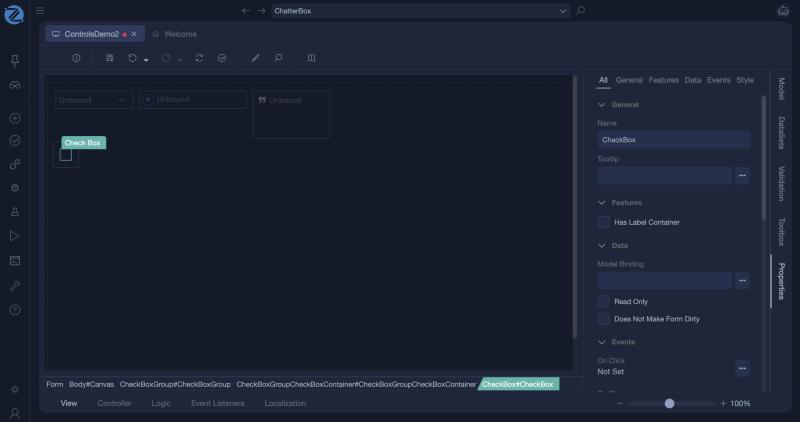
Check Box
A check box lets the user turn a yes/no value on or off. It is bound to a true/false value of the view model.
When to use it
- A single yes/no choice, such as Remember me or Is active.
- A group of independent options. Place several check boxes in a group, each bound to its own value.
For one choice among several, use Radio Button or a Dropdown.
Properties
| Property | Description |
|---|---|
| Model Binding | The bool value of the view model that the check box shows and sets. |
| Read Only | The user cannot change it. |
| Does Not Make Form Dirty | Changing the box does not mark the form as changed. |
| Has Label Container | Whether the group the check box is in shows its label container. |
Common properties such as Color, Size and the CSS class are described in Common Options.
Events
| Event | When it fires |
|---|---|
| On Change | The user checks or unchecks the box. |
Example
A Send me updates box bound to Model.WantsUpdates:
- Add a
WantsUpdatesproperty of typeboolto the form's model. - Drag a Check Box onto the form, set its binding to
WantsUpdatesand its caption to a resource such as Send me updates. - Read the value in a controller action:
Tips
- A check box bound to an attribute of a business object class saves with the record.
- In a list, a column of type Checkbox shows a true/false attribute. See Data List.
In Studio
The check box (not its group) and its properties.