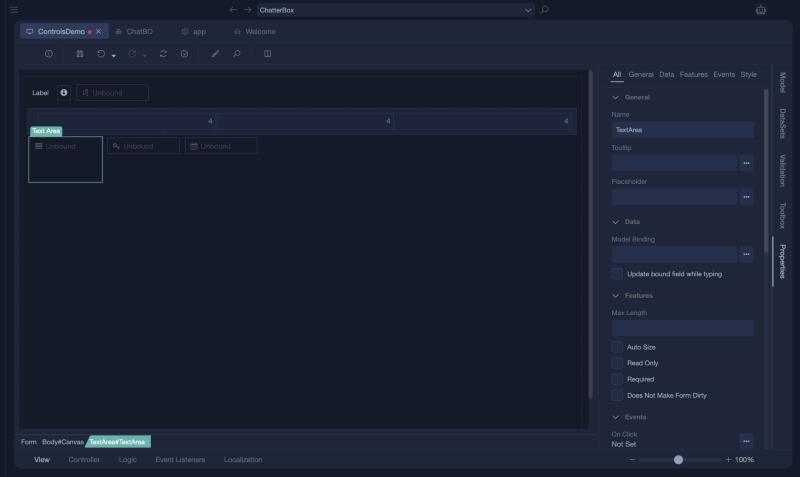
Textarea
A textarea is a multi-line input field for longer text, such as a description or a comment. It is bound to a string of the view model.
Properties
| Property | Description |
|---|---|
| Model Binding | The view model value that the textarea shows and sets. |
| Max Length | The largest number of characters the user can enter. Text attributes are limited unless you allow Unrestricted Length on the attribute. |
| Auto Size | Resizes the textarea to fit what the user has typed. |
| Update bound field while typing | Updates the model as the user types. |
| Read Only | The user cannot edit the text. |
| Required | The form is not valid while the textarea is empty. |
| Does Not Make Form Dirty | Typing does not mark the form as changed. |
Required fields and actions
If a field is Required and an action is set to Execute only if the form is valid, the action does not run while the field is empty, and an error is shown.
Tips
- For text with formatting, use a Rich Text Area.
- When the text is stored in a business object attribute, check the length of the attribute. A text attribute is limited to 100 characters unless you select Unrestricted Length in its properties.
- Put the textarea in a Form Group so that it has a label and a place for messages.
In Studio