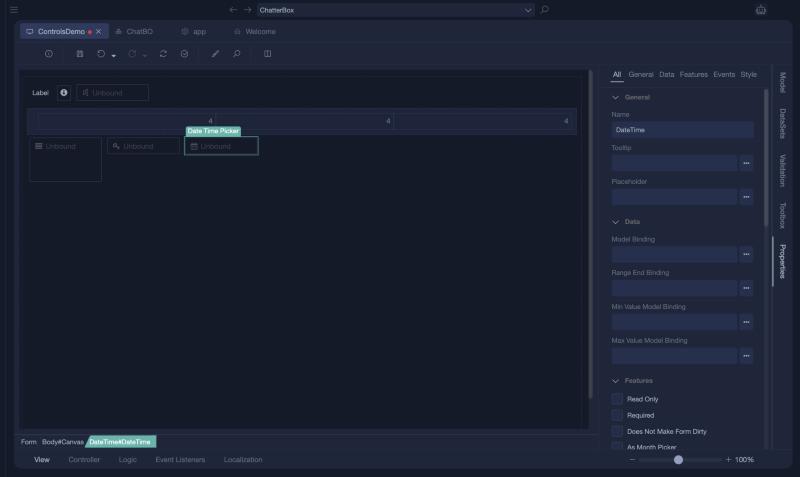
Date/Time Picker
The date/time picker lets the user choose a date, a time, or both, from a calendar and a clock, or by typing. It is bound to a DateTime value of the view model.
Properties
| Property | Description |
|---|---|
| Model Binding | The DateTime value that the control shows and sets. |
| Include Date Picker | Shows the date part. |
| Include Time Picker | Shows the time part. |
| Date Format | How the value is displayed. Choose it from the list. |
| As Month Picker | Picks a month. |
| As Range Picker | Picks a range of dates. The Range End Binding holds the end of the range. |
| Min Value Model Binding, Max Value Model Binding | View model values that limit the dates the user can choose. |
| Allow Typing | The user can type the value as well as pick it. |
| Read Only | The user cannot change the value. |
| Required | The form is not valid while no value is chosen. |
| Does Not Make Form Dirty | Changing the value does not mark the form as changed. |
Caution
Turn on at least one of Include Date Picker and Include Time Picker. With both off, the control shows nothing to pick.
Date only, time only, or both
| You need | Settings |
|---|---|
| A date, such as a birthday | Include Date Picker on, Include Time Picker off |
| A time, such as an opening hour | Include Date Picker off, Include Time Picker on |
| A moment, such as an appointment | Both on |
Time zones
DateTime values in Mamba are in UTC, and DateTime.Now() returns the current time in UTC. Convert values explicitly when you show local time or compare calendar days. See Behaviour to know.
Example: a default date
function void Add()
{
    Model.Order = Domain.Order.Create();
    Model.Order.OrderDate = DateTime.Now();
}
The date picker bound to Order.OrderDate shows today's date.
Related
For a full calendar of events, see Calendar.
In Studio