Pick List
A pick list lets the user choose one or many records from a long list in a separate window. The control shows the current choice, and a button opens a page with a searchable, pageable list.
When to use it
Use a pick list when a Dropdown would be too long, for example to choose a customer out of thousands. The records come from a dataset, and a dataset filters and pages them on the server.
Properties
| Property | Description |
|---|---|
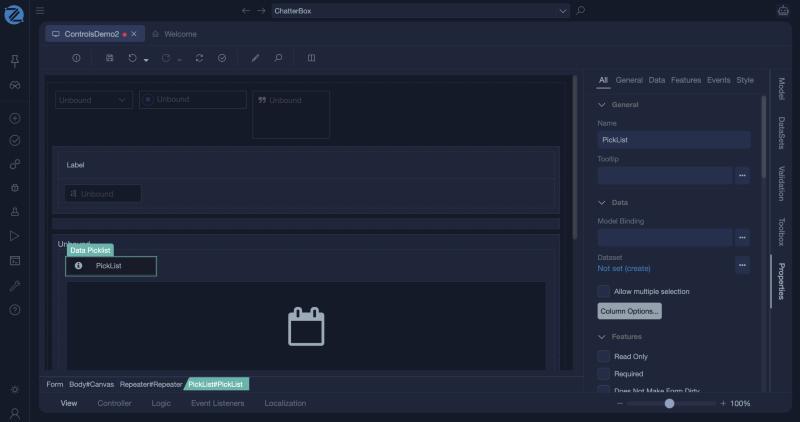
| Model Binding | The view model value that holds the selection. |
| Dataset | The dataset that supplies the records. |
| Column Options... | Opens the window where you choose the columns of the window. |
| Allow multiple selection | The user can choose more than one record. |
| Page Title | The title of the window that opens. |
| Has Paging | The results are shown in pages. |
| User Can Select Page Size | The user can change how many records are shown per page. |
| Button Type | The style of the button that opens the window: Button, Link or Image. |
| Read Only | The user cannot change the selection. |
| Required | The form is not valid until a choice is made. |
| Does Not Make Form Dirty | Changing the selection does not mark the form as changed. |
Tips
- Use a pick list when a list of options has many items, and a dropdown when it has few.
- With Allow Multiple Selection, bind to a collection.
In Studio
The pick list (a Data Picklist) and its properties.