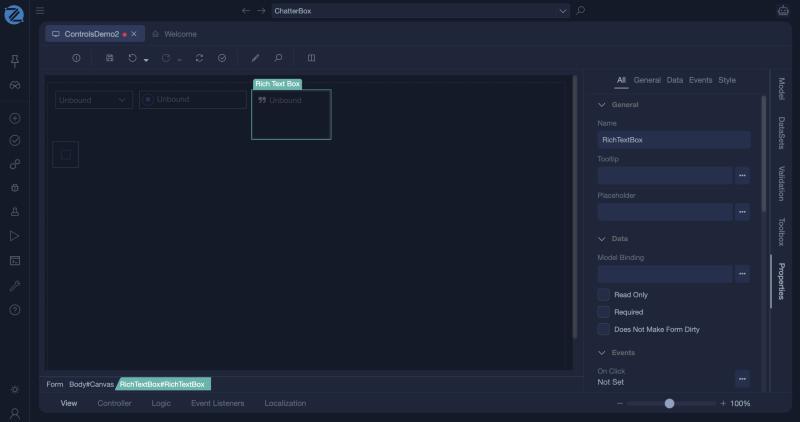
Rich Text Area
A rich text area is a multi-line input in which the user can format text, with headings, bold, lists and similar. It is bound to a string of the view model, which holds the formatted text as HTML.
When to use it
Use it for content that needs formatting, such as an article, a product description or an e-mail body. For plain text, use a Textarea.
Properties
| Property | Description |
|---|---|
| Model Binding | The string value of the view model that holds the content. |
| Placeholder | A hint shown while the area is empty. |
| Read Only | The user cannot edit the content. |
| Required | The form is not valid while the area is empty. |
Showing the content
The stored value is HTML. To show it on another page, bind a Label to it and turn on Render As Html.
Treat the content as untrusted
The text is HTML typed by a user. Showing it with Render As Html shows whatever HTML it contains. Use it only for content that signed-in, trusted users enter.
Example
function void Save()
{
    Model.Article.Body = Model.Body;   // formatted text, stored as HTML
    Model.Article.Save();
}
In Studio
The rich text area (a Rich Text Box) and its properties.